
The Desktop AI Copilot for
AutomationDirect Productivity Suite.
Explain ladder, find every use of a tag, and get oriented in an inherited .adpro project. Runs locally on Windows. Your project file never leaves your machine.
P1000 · P2000 · P3000 · .adpro
Three steps
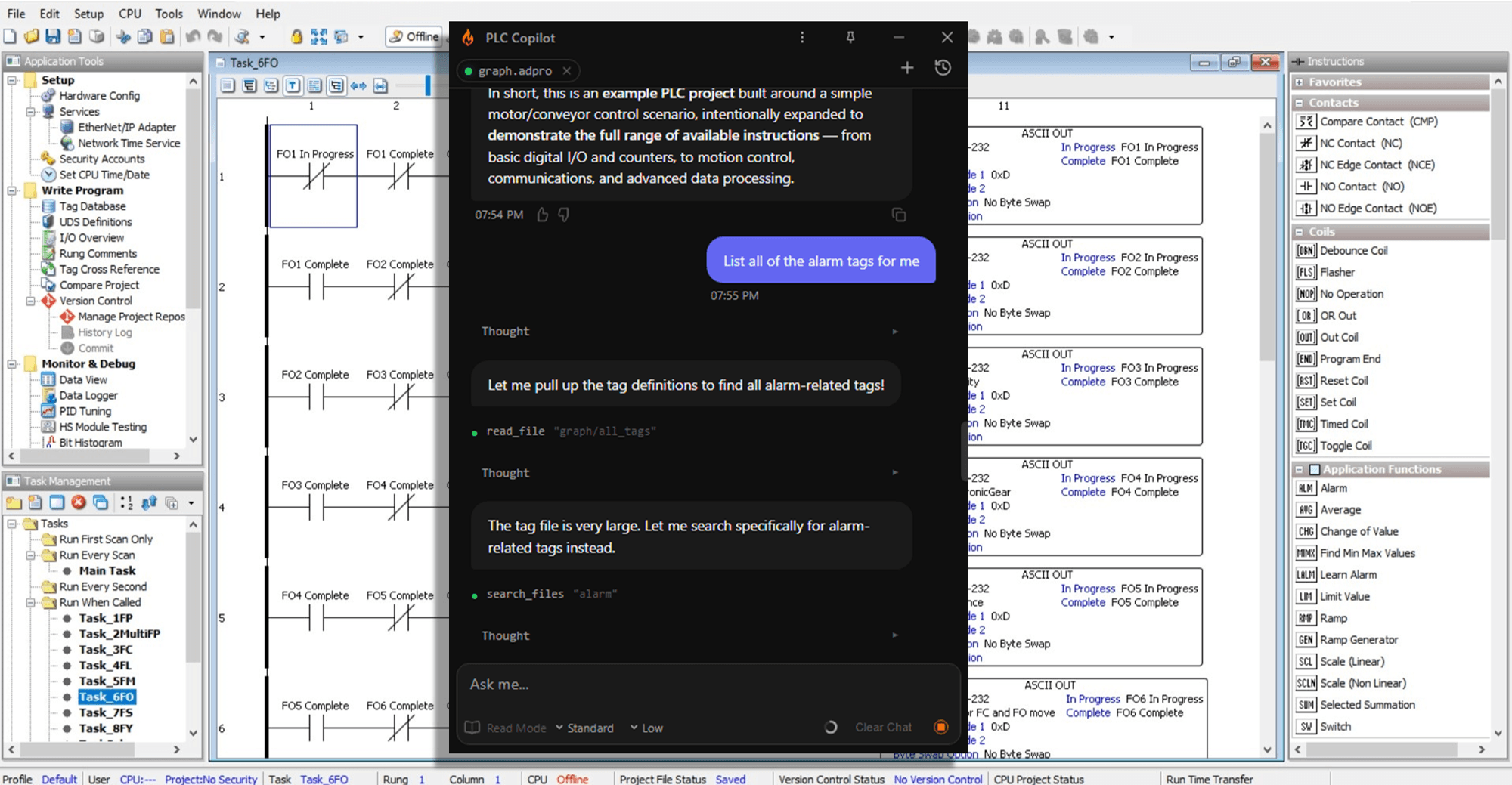
A familiar chat interface

Load your .adpro
Save the project in Productivity Suite, then open that .adpro in PLC Copilot. It reads the file locally. When the indicator turns green, the project is loaded.
Ask in plain English.
Ask it the way you’d ask the engineer at the next desk. Tasks, rungs, tags, and where a name is used.
Pump_2 is held OFF by an interlock at Rung 847.
Safety input I:3/12 (E-Stop bank 2) is de-energized. The latch on B3:4/2 will not clear until E-Stop is reset and Start_PB is pressed.
Get a cited answer.
Answers name the task, rung, and tag they came from. Re-save the .adpro with Ctrl+S and PLC Copilot reloads the file so the next question uses the latest project.
If you work in Productivity Suite, this is for you.
Automation Engineers
Ask what a task does and get an answer tied to the rungs and tags, without stepping the whole program by hand.
Controls Engineers
Trace a fault or a tag through the ladder and write down what you found while the project stays untouched.
System Integrators
Open a customer’s .adpro and learn the machine before you change a single rung in Productivity Suite.
Two ways it works on your Productivity Suite project.
Read what the ladder actually does.
Open a .adpro and ask about the logic. PLC Copilot reads tasks, rungs, tags, and cross-references and answers with the names it found in the file.
- Explain what a task does, what conditions run it, and what it turns on
- Trace a fault or alarm back through the rungs that set it
- Find every rung that reads or writes a tag
- Get oriented in an inherited P1000, P2000, or P3000 project before you edit it
Your PLC code
stays on your
local machine.
Offline and on-premises options are available. The online plans send chunks of your request to our servers where it is processed. See security and data handling and our Privacy Policy.

Private, for all plans
Ladder logic is proprietary. Often under NDA. No one, not even our team, can view or execute your source in context.
Secure by design
The AI works in an isolated local environment, communicating over an encrypted channel to ensure that your code remains private and secure.
Offline option available
Some teams prefer to use their own servers, some can't connect to the internet at all. We can accomodate your needs in our enterprise plan.
Local-first by default
Less time on the code. More time on the problem.
Follow a condition to the rung that sets it instead of hunting tag cross-references by hand.
Re-save the .adpro in Productivity Suite. PLC Copilot reloads that file and answers from the latest logic.
Understand a Productivity Suite project before you change a rung.
Download, open your .adpro, and get your first cited answer.
“It just saved me a boat load of time trying to figure out how someone else's undocumented spaghetti works. Where in the past I would have probably trashed it and rewritten, now I can document the program so others can benefit.”
Controls Engineer, 25 Years of experience in automation
Productivity1000, Productivity2000, and Productivity3000 projects saved as .adpro files.
Save the project in Productivity Suite, then in PLC Copilot choose Title Bar → Open Project and select the .adpro. Wait for the green indicator. Setup and walkthrough: Productivity Suite Quickstart
Save the .adpro to the same path (Ctrl+S). PLC Copilot watches that file, reloads it, and uses the updated project for the next answer.
Your .adpro stays on your machine. PLC Copilot is local-first. See our Data handeling and Privacy Policy for how proprietary code is handled.
A generic chat tool has not opened your project, so it guesses tag names. PLC Copilot loads the .adpro and answers from the tasks, rungs, and tags in that file.
Open your next Productivity Suite
project with a copilot.
Productivity Suite, Productivity1000, Productivity2000, and Productivity3000 are trademarks of AutomationDirect. PLC Copilot is an independent product and is not affiliated with, authorized by, or endorsed by AutomationDirect.