
Local AI Assistant for
CODESYS V3.
Ladder, FBD, and vendor blocks on the project you have open. Check the answer in CODESYS before you change a line.
IEC 61131-3 · 500+ OEMs · ST · LAD · FBD
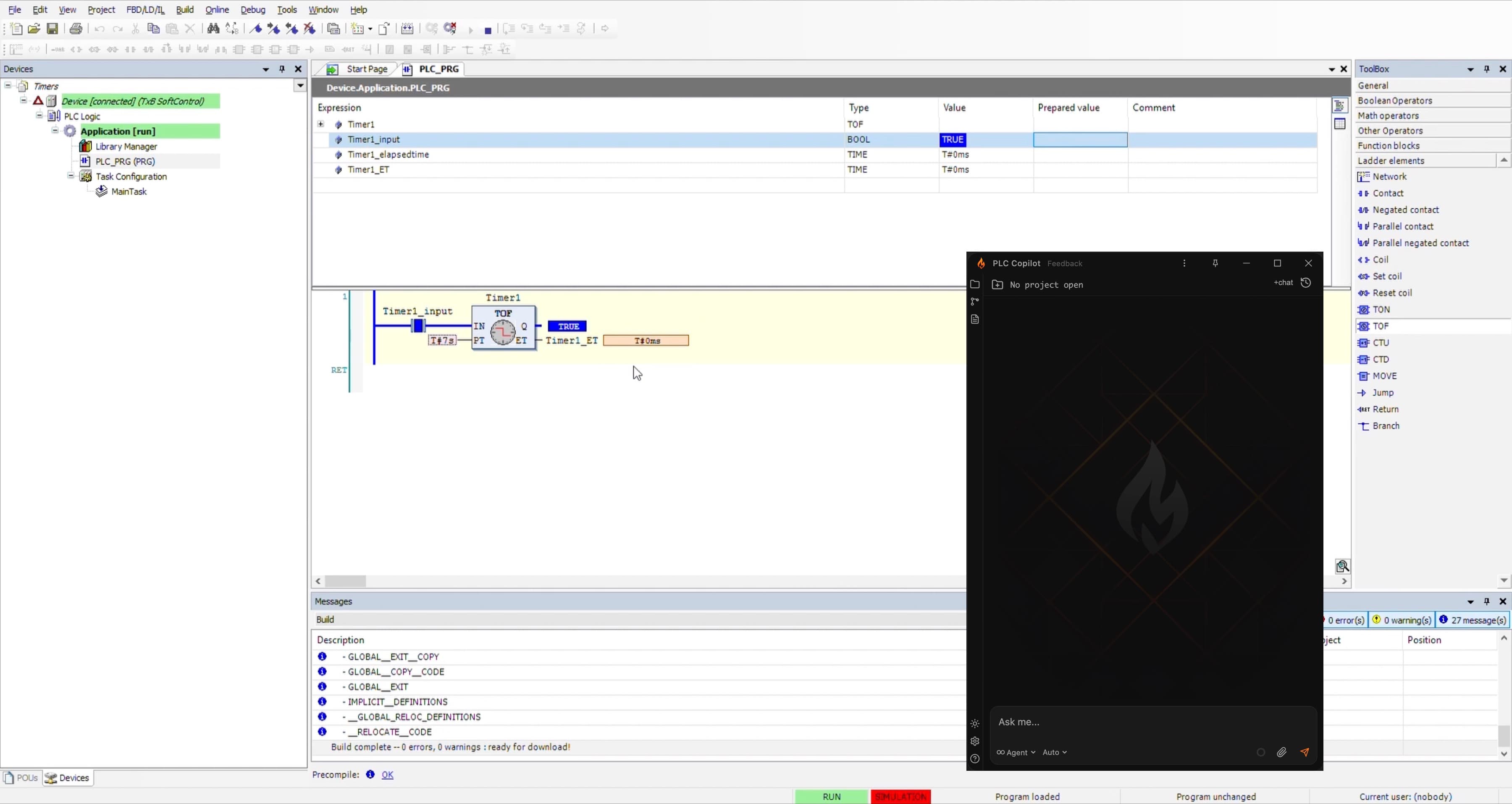
Hardware features depend on your device manufacturer’s CODESYS device description and licensed options.
On the application
you already have open.

Connect your project
Link PLC Copilot to the CODESYS V3 application on your PC. It reads programs, libraries, tags, datatypes, and the device tree so later replies refer to this machine.
Name the object
Ask the way you would on a call: which action clears this fault, what a library block expects on its enable input, or where a tag is written.
Pump_2 is held OFF by an interlock at Rung 847.
Safety input I:3/12 (E-Stop bank 2) is de-energized. The latch on B3:4/2 will not clear until E-Stop is reset and Start_PB is pressed.
Review, then apply
Explanations cite the objects they used. You review each draft, then paste and test it in CODESYS.
Inherit it, design it, or commission it.
Automation Engineers
Change a running cell without rereading every library note. Get the interlock path and the output, with the POU named, before you edit.
Controls Engineers
Write new Structured Text against the datatypes and libraries already in the application, and clear compiler errors before review.
System Integrators
A new site often means a new brand on the same IEC 61131-3 base. Learn how that application is built before you commit to a date.
Read the application, write the notes, or draft the next block.
See what this application does.
Inherited programs hide behavior in library calls and graphical networks. Answers come from those objects—the blocks, variables, and I/O in this project—not from a generic sample.
- Explain a program or function block: purpose, inputs, outputs, and the logic between them
- Follow a tag or condition through the calls, methods, and actions that use it
- List every place a variable is read, written, or aliased
- Separate vendor library behavior from the code your team maintains
- Turn uncommented ladder and FBD networks into a short description you can verify
Your PLC code
stays on your
local machine.
Offline and on-premises options are available. The online plans send chunks of your request to our servers where it is processed. See security and data handling and our Privacy Policy.

Private, for all plans
Ladder logic is proprietary. Often under NDA. No one, not even our team, can view or execute your source in context.
Secure by design
The AI works in an isolated local environment, communicating over an encrypted channel to ensure that your code remains private and secure.
Offline option available
Some teams prefer to use their own servers, some can't connect to the internet at all. We can accomodate your needs in our enterprise plan.
Local-first by default
Less time decoding. More time delivering.
Follow a single condition through the calls that set and use it, instead of a hand-built cross-reference.
Block-level documentation taken from the application as it exists in the IDE today.
Understand a CODESYS application before you touch production logic.
Ask about a tag or a fault without pasting code into a chat window first.
“It just saved me a boat load of time trying to figure out how someone else's undocumented spaghetti works. Where in the past I would have probably trashed it and rewritten, now I can document the program so others can benefit.”
Controls Engineer, 25 Years of experience in automation
Device descriptions and licensed options differ by manufacturer. We open access in small groups so early teams are on the controllers they program every day. Join the list and we’ll email you when your group starts.
A confirmation arrives immediately. When a seat is ready, the next email includes setup for your environment. Nothing is required between those two messages.
Projects you already build in CODESYS V3: industrial PCs, PACs, and OEM controllers in that ecosystem, including motion platforms where the device description exposes them. Name your hardware on the form if you want that setup prioritized.
Structured Text is explained, documented, and drafted. Ladder, function block diagram, and continuous function chart are explained and documented; you still draw new networks in CODESYS. Say so on the waitlist if most of your work is graphical.
No. The application stays in your engineering environment and is not stored on our servers. Enterprise plans can tighten deployment further; the Privacy Policy has the details.
A general chatbot has no device tree, no installed libraries, and no compiler. PLC Copilot reads the project on your machine and checks Structured Text drafts against compile results.
CODESYS is adding assistants in its own IDE. PLC Copilot is a separate desktop tool for engineers who also deliver Rockwell, Siemens, and AutomationDirect projects, so the same assistant is there when the toolchain changes.
Join the engineers already
on the list.
CODESYS is a trademark of CODESYS GmbH. PLC Copilot is an independent product and is not affiliated with, authorized by, or endorsed by CODESYS GmbH or device manufacturers in the CODESYS ecosystem.