
How AI Credits Are Calculated & How to Use Them Efficiently

You may wonder how the AI credits are spent and how to manage the credit usage more effectively. To provide full transparency, let’s lift the hood on how credits are calculated, and look at three immediate habits you can adopt to get the absolute most out of your credits.
The Mechanics: How Credits Are Calculated
Your credit consumption isn't a flat rate per message or per hour; instead, it scales dynamically based on the volume of data processed by the AI model. Behind the scenes, the system tracks three distinct types of computational activity:
- Input Tokens: These represent the text you type into your prompt, combined with the entire conversation history sent along with it.
- Output Tokens: These are the words, sentences, or code blocks generated by the AI in its response to you.
- Cached Tokens: When you have a prolonged conversation, our system attempts to "cache" (remember) previous blocks of text. Reading from the cache is heavily discounted, saving you credits compared to processing raw input tokens from scratch. The cached memory will clean up after 10 minutes of inactivity.
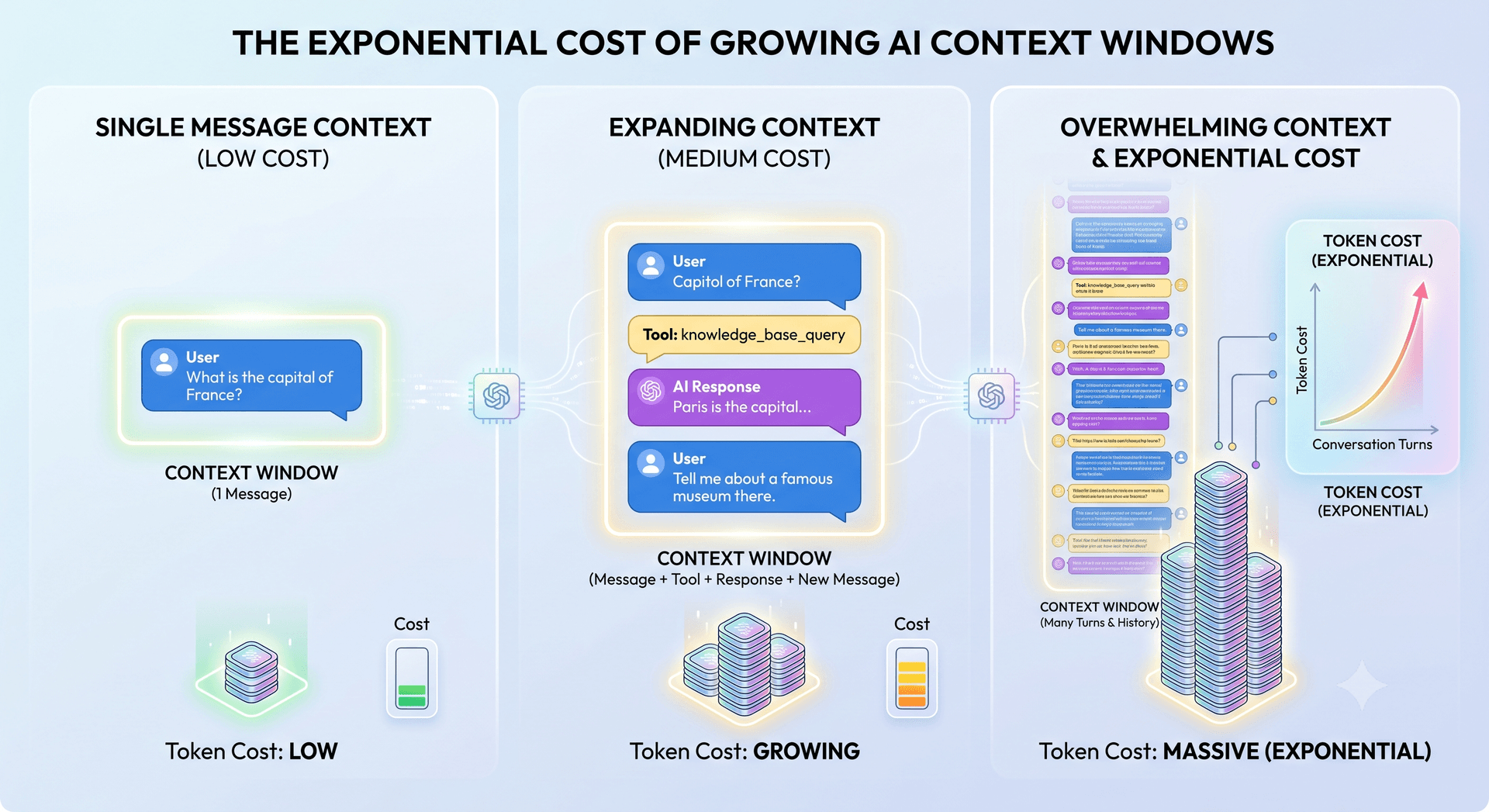
Large language models lack any internal memory. To maintain a smooth conversational flow, the system must resend your entire chat history along with every new prompt. Because your entire chat history is resent with every single new message to maintain conversational memory, a chat thread that grows too long will begin consuming credits at an accelerating curve.
AI processing costs are calculated by tokens, this mechanism creates a rapid snowball effect. You are not just paying for the new message; you are paying the AI to process every previous interaction in the thread. Therefore, what begins as a cheap exchange can quickly compounds into a highly expensive computational workload, causing total token costs to accelerate exponentially. Therefore, it's important to clear the chat as often as possible. It's always cheaper to start from scratch than continuing a long conversation.
Three Best Practices for Credit Efficiency
1. Default to the Standard Model
Our Standard Model is highly economical and fine-tuned to handle roughly all of daily workflows. Keep this as your baseline. If you find yourself "hitting a wall" on a highly technical, logic-heavy, or deeply nuanced prompt, switch over to the Premium Model for that specific request. Once you receive your output, toggle back to Standard for your subsequent tasks.
2. Optimize Context Memory & Watch the Circular Indicator
To help you manage this visually, keep an eye on the circular donut indicator in the bottom-right corner of your interface:
- The 50% Rule: Try to clear your chat often and avoid letting your context usage push past 50%. This prevents the history from ballooning your input token count.
- At 100% Full: If the context donut reaches capacity, the system automatically begins dropping the oldest messages in the thread to keep the current conversation flowing, which can disrupt the AI's continuity.
Clear the chat often. When you got the answer to your question, clear the chat before asking an unrelated question. It's always cheaper if the AI reads the files from scratch rather than having a longer conversation.
3. Skip the "Thank You" Messages
While we love polite communication, sending a short message like "Thank you!" or "Thanks, that works!" forces the system to re-upload and re-process the entire chat history all over again. In a long, ongoing thread, saying "thank you" can unintentionally cost tens of credits just to process a single polite word. It's best practice to simply let the chat sit or clear it when a task is completed!
Looking Ahead
We are currently finalizing a comprehensive documentation guide that will dive even deeper into advanced prompt engineering and resource management strategies. In the meantime, implementing these three simple habits will immediately stretch your credit balance and maximize your everyday output.