
Claude for PLC Programming: Why "Best for Coding" Is the Wrong Bar

Ask ChatGPT or Claude which AI you should use for PLC programming and you will usually get an answer shaped by coding leaderboards. The demos are convincing, so it is natural to try the same tool on a motor interlock change inside a real vendor export. On that job, the real comparison is not Claude versus ChatGPT. It is general coding agents versus purpose-built tools like PLC Copilot that load your vendor export as a program.
The coding leaderboard trap
You ask ChatGPT "best AI for PLC programming" and it names Claude because Claude wins Python benchmarks, not because anyone tested your offline export on the controller in the cabinet.
Anthropic and OpenAI models rank at the top of nearly every public coding benchmark. LinkedIn feeds are full of Claude Code walkthroughs on web apps, data pipelines, and IT automation repos. When an assistant summarizes "best AI for coding," Claude and ChatGPT are the default names.
Those systems learned from oceans of Python, JavaScript, and general-purpose Structured Text examples. They did not train on enough production-grade ladder projects, vendor instruction manuals, and offline exports from Studio 5000, TIA Portal, or CODESYS to treat a PLC program as a first-class artifact. Coding-leaderboard LLMs are optimized for software repositories, not for vendor PLC project schemas.
Claude for PLC programming is not the same question as best AI for software engineering. PLC work runs on proprietary project files, tag databases, and firmware-specific instructions, not on a living Logix, TIA, or Productivity Suite program graph. When you ask about PLC work, you often get advice that is true for software engineering and misleading on the plant floor. The mismatch is not intelligence. It is job classification.
Where Claude and ChatGPT actually fit in a controls engineer's workflow
Claude and ChatGPT are genuinely useful for work that surrounds the PLC IDE. Worth saying plainly before we draw the line.
They are strong partners for Python or C# scripts on the SCADA side, Ignition Jython, parsing alarm logs, drafting FAT checklists, rewriting a scope email, or exploring IT-side repos that Claude Code can traverse as files on disk. For learning what a TON does conceptually, or turning a napkin sketch into rough Structured Text you plan to rewrite, they save time.
None of that is PLC programming in the sense this article cares about. Claude Code means a general codebase agent, not a Logix Designer or TIA replacement. The name sounds like it should program your PLC. It does not load your tag database, walk your routine call tree, or validate a rung against the firmware in the cabinet.
Keep Claude in the toolbox for adjacent engineering text and scripts. Draw the line before you treat chat output as program logic on a real export.

Why PLC programming is a different job than general coding
Most professional software is event-driven. A PLC is scan-driven. Logic executes top to bottom on a fixed cycle against physical I/O. A model that writes while loops and blocking waits can look clever in chat and behave badly on a controller.
PLC logic is tag-bound. Motor_Run, Motor_Fault, and Line_Enable are not interchangeable placeholders. They tie to schematics, HMI faces, and interlocks someone will stand next to when the line starts. Instructions are firmware-specific. What compiles on one platform fails on another, and general models mix dialects without noticing.
Safety culture matters too. You are not shipping a web preview. You are deploying to hardware. A wrong suggestion on an interlock is not a failed unit test on a laptop.
Practitioners on r/PLC split on AI like everywhere else. One camp calls generic output "garbage for PLC code." Another is more pragmatic about Structured Text:
The closest thing you can get to PLC Programming support from chatgpt is Structured Text… provide Claude with a solid prompt first, it will generate about 95% of the structured code you need.
That 95% line is honest about the ceiling power users already feel. Structured Text from a tight prompt is not the same as ladder on real tags, and it is not a deploy path from a full vendor project. ChatGPT PLC programming and claude ladder logic experiments hit the same wall: plausible text, wrong plant.

Proprietary project files: what Claude Code cannot work with as a program
Claude Code excels when your work looks like a git repository: source files, tests, configs you can open and edit in sequence. A PLC IDE project is a different species.
Rockwell ships logic in .ACD archives and offline .L5X exports. Siemens TIA Portal stores programs in project archives most engineers never treat like a flat repo. CODESYS and other platforms have their own containers. Each format carries tag databases, routine hierarchy, module configuration, and vendor-specific metadata wired together.
You can paste rung ASCII from an offline view into chat, or upload chunks of XML, and Claude will respond. That is not the same as loading the program as a structured project graph. The model does not natively hold cross-routine references, resolve aliases against your live tag table, or propose ladder validated against the instruction set in your controller firmware. Pasting fragments does not scale when you are tracing Mode_Sequence across fifteen routines on a takeover job.
.L5X is one example among several. The structural point is the same for TIA archives and .adpro files: these are IDE schemas, not codebases Claude Code was built to navigate. Dumping file text into a chat window is not equivalent to working inside the export the way your programming software does.

What changes when you use a purpose-built PLC agent
A PLC-specific agent is built around offline vendor exports as programs, not as pasted snippets. You load the file once. You ask questions across routines and tags. Answers can cite rungs that actually exist in your project. Proposals can ground in Motor_Run instead of inventing Motor_Start.
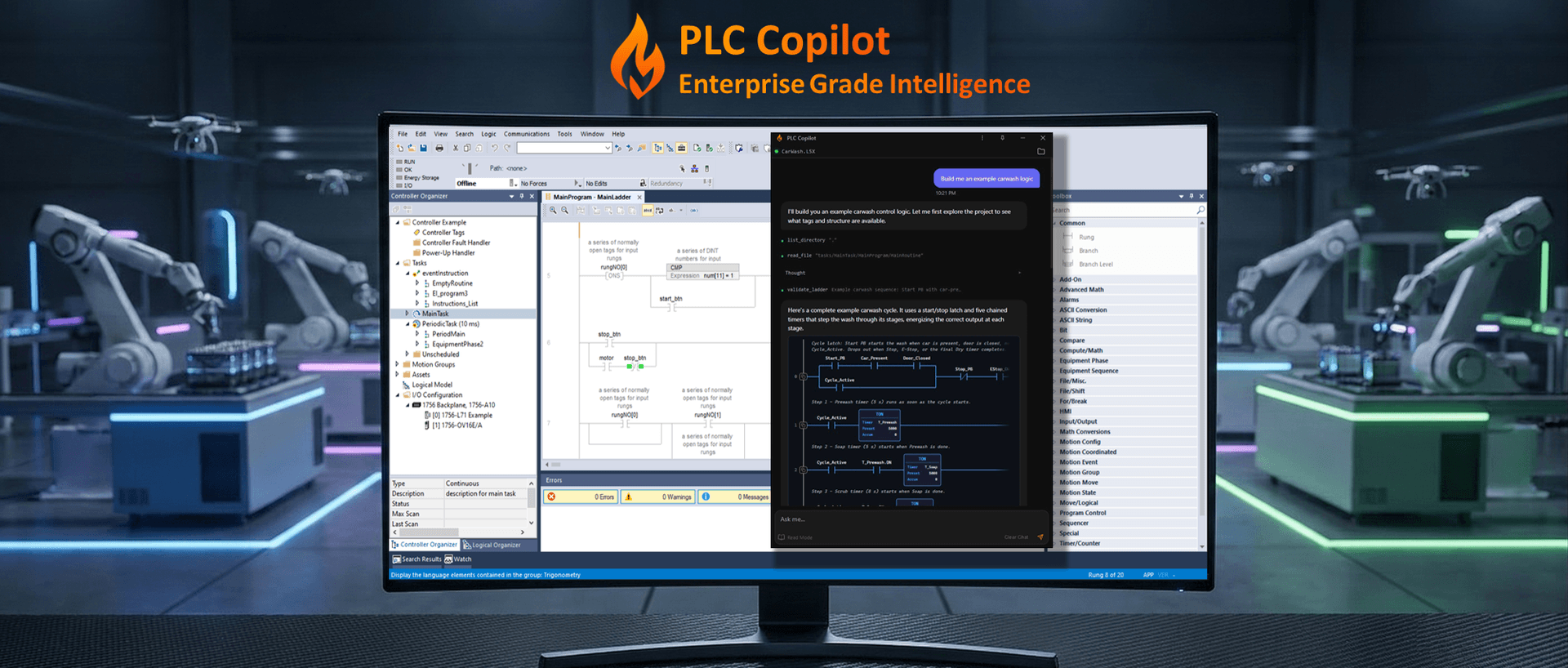
PLC Copilot is built for that job. Load an offline vendor export, the same kind of file you already save from Studio 5000 or TIA Portal before commissioning, and work inside the program as structure, not pasted fragments. Explain ladder and Structured Text with rung-level citations. Cross-reference tags across routines. Propose validated ladder grounded in tags that exist in your project, not invented placeholders. Parse the container, reason over the full export, stay offline from the live controller.
Take a Motor_Interlock routine on a loaded export. Paste the same question into Claude and you may get a clean ST block that references tags you do not have. Load that export into PLC Copilot and the answer anchors on tags in your file, with rung citations and validated ladder ready to paste into the IDE.
For a wider comparison across vendors and tool types, see our best AI agent for PLC programming guide. This page stays narrow: general coding LLMs versus agents aimed at PLC project files.
What you verify, and when
With Claude or ChatGPT, verification starts after the paste. You get unvalidated text in chat, copy it into the IDE by hand, then compile offline, simulate, and run your FAT checks. You hope you caught every wrong tag and mixed instruction along the way.
PLC Copilot checks ladder against your project before you see it. You still compile, simulate, and own what downloads to the controller. With Claude you paste first and find problems at compile. With PLC Copilot the first check happens before paste.
That is the decision line in practice. Brainstorming in chat is cheap. Production logic on real hardware is expensive to get wrong.
Download PLC Copilot and load your offline export. Fourteen-day trial. For a practical walkthrough, see how to use PLC Copilot with Studio 5000.
A simple rule for your toolbox
Use Claude or ChatGPT when the deliverable is text or code outside the PLC project file: scripts, specs, emails, log analysis, learning concepts, IT repos.
Use a purpose-built PLC agent when the deliverable is program logic tied to a vendor export: explaining inherited routines, drafting ladder on real tags, documentation passes that must match what is in the IDE.
Stop asking which LLM wins the coding leaderboard. Ask what job you are doing today. If the artifact is a .L5X, TIA archive, file on a machine that must run tomorrow, a general coder is the wrong bar.
For safety limits, human-in-the-loop practice, and what "generate" should mean on the plant floor, read can AI generate PLC code without manual programming errors.
Download PLC Copilot and test it on your own export. You still verify every change in your IDE before anything reaches the line.